Know where you stand.
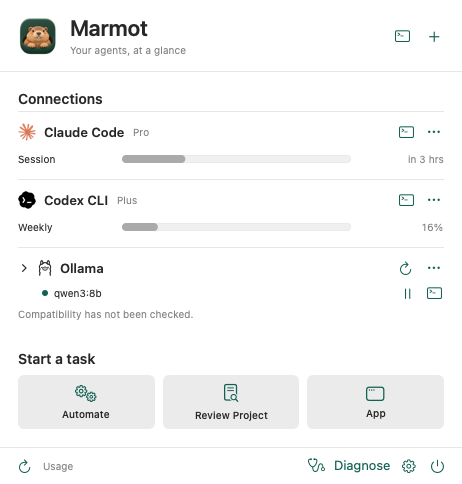
Check quota windows, reset times, balances, and token usage for supported providers. Switch between saved accounts or enable automatic switching at your chosen quota threshold.
Marmot: AI Agent Hub brings your agents, subscriptions, and local models together. Track usage across tools, switch accounts, and launch sessions from your Mac’s menu bar.
Download for Mac
Preview 0.2.2 for Apple silicon and Intel. macOS 14 or later.
Release notes and SHA-256
 Claude Code
 Codex
 Grok
 Ollama
 oMLX
 OpenCode
Track usage across your AI agents, switch between accounts, and launch your next session from one place.
Check quota windows, reset times, balances, and token usage for supported providers. Switch between saved accounts or enable automatic switching at your chosen quota threshold.
Launch your default agent with a right-click, or start with a prompt. Open sessions in Terminal or your preferred terminal app.
Connect Ollama, oMLX, or an OpenAI-compatible server. Browse models and choose a compatible harness for your endpoint.
A native Mac companion, ready to meet the tools you already use.
Open the DMG, drag Marmot to Applications, and open it.
Reuse an existing sign-in or choose Install & Connect for a supported tool. Missing components download from official sources.
Check usage, switch connections, and launch a session from the menu bar.
An Apple silicon or Intel Mac running macOS 14 or later, and an internet connection for initial downloads. Marmot reuses existing tools and downloads its usage component separately if needed. Setup can install Codex, Claude Code, Grok, and OpenCode. Use Custom harness to connect another CLI you have installed.
You bring your own subscriptions, harnesses, and model servers. Marmot connects to those tools and uses the provider usage data available to them.
Yes. Connect Ollama, oMLX, or a compatible endpoint. Marmot can load and unload models through supported Ollama and oMLX servers. The available harnesses depend on the APIs your server supports.
API keys entered for model endpoints are stored in macOS Keychain. Provider sign-ins stay with their harness. Separate account profiles let you add multiple supported subscription accounts.
This is an early development build, ad-hoc signed and not notarized by Apple. macOS may block it from opening. Provider meters depend on the usage data exposed by each service and the sign-in available on your Mac.

Your AI agents, accounts, and local models in one place.
Download for Mac
Preview 0.2.2 for Apple silicon and Intel. Requires macOS 14 or later.
Open the DMG and drag Marmot to Applications.
This
development build has not been notarized by Apple.
Release notes and SHA-256